Pages

Monday, June 17, 2013

Enterprise CADENCE

Enterprise-wide Agile transformations start with enthusiasm and dedication, and yet most transformations fail* within one year from the start of the Agile rollout.  Change management initiatives, especially those on a large scale, are notoriously difficult to pull off.  On Monday, 6/17, Mariya Breyter and I will be presenting Enterprise CADENCE, our views on the elements that help sustain agile transformations at AgileNYC.
image
We introduce a framework for sustaining and enhancing success of your Agile rollout, which we define in an acronym, CADENCE, which stands for C – coaching, A – assistance, D – development, E –  engagement, N – networking, C – collaborative culture, E – evaluate and adapt.
In our presentation, we will provide practical advice on how we made Agile CADENCE work for us in enhancing our Agile transformation, and suggest specific ways of making your Agile rollout successful on enterprise level.
-----------------
* Some References:


Tuesday, June 11, 2013

Tech Practices Amplify Uses to Enhance their Agility in the EdTech/Mobile Space

On June 11, 2013, Alberto SilveriaLeslie BorrellDavid Cameron, and Rick Carragher, presented Tech Practices Amplify Uses to Enhance their Agility in the EdTech/Mobile Space at the Agile / Lean Practitioners Meetup.

View their presentation

See Photos from Meetup

***Interested in learning more? Join our group***


Alberto Silveria, Tech Lead for the class experience team at Amplify, will share the agile and technical practices Amplify uses building apps in the Tech Ed / Mobile space. The presentation will provide an overview of the seven development tenets followed at Amplify, how UX is incorporated into Agile Development, and specific practices their teams use across 4 geographic locations.

Alberto will be joined by Leslie Borrell, VP of Engineering (Amplify) and Rick Carragher, Technical Principal (ThoughtWorks).


Learn more about Amplify's tablet.

About Amplify: 
Amplify is reimagining the way teachers teach and students learn. We enable teachers to manage whole classrooms and, at the same time, empower them to offer more personalized instruction, so that students become more active, engaged learners.

An independent subsidiary of News Corporation, Amplify is built on the foundation of Wireless Generation, the pioneer that brought mobile assessments and instructional analytics to schools across America. To date, Amplify has supported more than 200,000 educators and 3 million students in all 50 states as they begin their digital transition. And we’re just getting started.

Tuesday, May 14, 2013

Scrum Master: A Role or A Profession

On May 14, 2013, Mariya Breyter, presented Scrum Master: A Role or A Profession at the Agile / Lean Practitioners Group.

Recording:
Note: The audio of the event recording was not high enough quality to post, so the link here is a re-record of the event.

Presentation:


***Interested in learning more? Join our group***


Event Description:
Scrum Master is a unique role. Everyone knows what a developer or tester are responsible for while scrum master is frequently an open question. The general answer is that the Scrum Master is a natural leader who is driving the team to success. However, the true answer is: It is Job Like No Other. 


In this presentation, we will talk about scrum master role expectations, competencies, and career path, as it has been defined at Kaplan Test Prep. We will share with you specific criteria for Scrum Master professional growth and ask for your opinion whether scrum master is a role or a profession, and what it means to be an outstanding scrum master. You will be able to meet Kaplan Scrum Masters and ask questions about their professional path, prior experience, and their plans for further professional growth. We are looking forward to hear about your experience and your understanding of a scrum master role on an Agile team. 


Some of the topics include: 
  • is Scrum Master a dedicated role on the team, or a team member should play a scrum master role? 
  • do you become a scrum master after CSM training? 
  • what does it mean to be a scrum master?
  • what is scrum master's career progression?
About the Presenter
Mariya Breyter, PMP, PMI-ACP, CSM, CSP is an IT management and project management professional with over ten-year experience ranging from government jobs to versatile corporate experience in media and education, including managing large teams on multimillion-dollar projects. She is a passionate agilist and an active member of New York City agile community. Mariya is also a contributor to a number of online resources on agile and project management topics, including her own blog. In 2011, Mariya was selected as one of the winners of The IT Metrics and Productivity Institute’s PMO Case Study competition. In February 2012, Mariya facilitated a discussion on executive coaching in Agile at Agile Open NYC. She has combined BA /MA degree in Linguistics and Computer Science and Ph.D. in Computer Linguistics from Moscow State University, followed by post-doctoral fellowship at Stanford University. She has been coaching Agile teams at Kaplan Test Prep in their transition to Agile including facilitating Scrum or Scrums and Impediment Removal Team meetings.

Tuesday, April 9, 2013

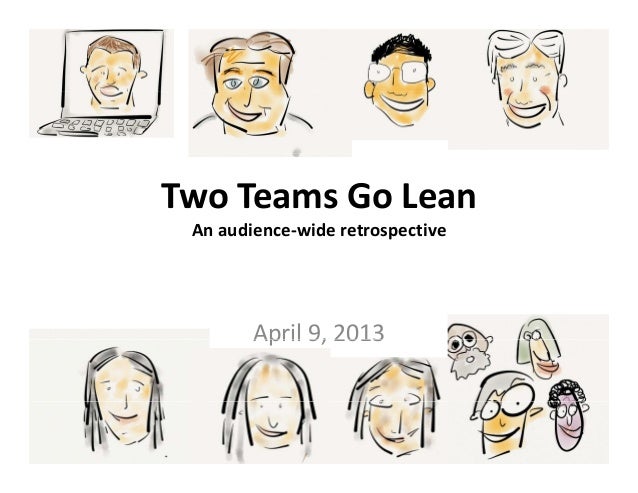
Two Teams Go Lean: An Audience-wide Retrospective

On April 9, 2013, Terrence McGovern and Lori Masuda facilitated a live retrospective of two business functional teams that piloted lean practices at the Agile / Lean Practitioners Meetup.

See The slides:


Event Description:

We will be presenting on how an Editorial and Marketing Team used Agile / Lean practices to execute their projects and work. This presentation will be followed by a panel discussion where team members and stakeholders talk about what 
prompted them to try it and how it worked for the execution teams, while sharing the good, the bad, and the future. This event is co-sponsored with PMI NYC.

-----------------------------------------

Update on event format:

In order to keep the event concise and offer the opportunity for audience participation we will be conducting a live, public retrospective where our Editorial and Marketing Teams will write down what worked well in their Agile adoption and what didn't work.

Ever heard of a Retrospective?

According to Dictionary.com, in the real world:

ret·ro·spec·tive

[re-truh-spek-tiv]

adjective

1. directed to the past; contemplative of past situations,events,etc.

2. looking or directed backward.

In Scrum:

ret·ro·spec·tive

[re-truh-spek-tiv]

ceremony

1. time-boxed meeting

2. a Scrum Ceremony where the team reflects on what worked well and what can be improved.

3. offers encouragement for teams to continue to improve

Thursday, April 4, 2013

Starting an 'Agile / Lean Practitioners' Meet Up in NYC

In April 2013, Mariya Breyter, Terrence McGovern, Lori Masuda, and I decided to start group called Agile / Lean Practitioners in NYC. We wanted to create something that would give back to the Agile / Lean community, because we each have learned from other practitioners. Our objective is to create a forum for practitioners to meet and share their experiences. We plan to meet monthly on topics that are relevant to you.

Based on the early success of our first two meetings, we've been able to land some great speakers / companies for our upcoming events:
We hope that we'll see you at one of these upcoming events. Please join our meet up, tell others about it, and use #ALPNYC when tweeting about it.

Want to Suggest or Lead a Future Topic 
Reach out to one of the organizers or Submit your Topic.

Can I attend these events if I am new to Agile / Lean? 
We welcome those who are not currently practicing agile or lean practices and want to learn more, but our goal each meeting is to dive into issues that practitioners deal with, rather than provide an introduction to what agile is. If you're new to agile / lean practices, please feel free to see me or the other co-organizers after the event and we'd be happy to talk with in detail about what agile / lean are and share great introductory materials on these topics.

Sunday, March 10, 2013

Very Proud of Our Internal Hackathon

Last August, my colleague Don Gregori and I facilitated a division wide hackathon at the company we work for.   I've blogged about this experience elsewhere and the following video was put together:


Jenny Liang of IntraprenuerLabs wrote a flattering case-study called Sparking a Culture of Innovation within the Enterprise.

For me, helping coordinate such an event was one of my proudest professional moments, not just because innovative product ideas were generated, but 18 teams of people were truly proud of the prototypes they presented and built over an 48 hour period.  Really looking forward to the next hackathon that we're doing this year.

Wednesday, February 20, 2013

Facilitating Retrospectives with Remote Attendees using Google Drawing in 5 Easy Steps

When you talk about retrospectives, most people probably imagine a group of people in a room together using stickies to identify what is "working well" and "opportunities to improve."  If you have participated in a retrospective when everyone else is co-located, you may have found that experience sub-optimal.  Consider the alternative of running a retro with no one co-located, where all members participate remotely.

The following are 5 easy steps to facilitate a retrospective using a 4 square format with Google Drawing.  The example I draw from was run with fourteen remote participants--most of whom never used Google Drawing and some who never had been to a retrospective.   In general, I am tool agnostic, but I have found that Google Drawing is intuitive, provides some of the "tactical-like" feel that you get with using stickies, and it is not difficult to set up. 

Step 1: Set Up - Est. 10 Min
Create virtual retro board and pre-create blank stickies and voting chips for each participant in advance of meeting.  Alternatively, you can open the Remote Retrospective Template* in Google (you'll need to 'Make a Copy' to be able to edit it).  Note: Please abide by the Creative Commons license referenced at end of this post.

I suggest grouping of "stickies" and "voting chips" to a named individual so there is no confusion on where people should start.  


You'll need to give participants edit rights to the document.   

First time doing this I add people in advance of meeting without email notification.  This enables me to explain how to use the board to everyone at once.    Everyone can benefit from questions raised.


Step 2: Explain How to Use The Board Est. 5 Min
If this is the first time your participants are using Google Drawing, take a few minutes to show them the basics.  Although the tool is very intuitive, you will lower anxiety by showing how easy it is to: drag a shape >  double-click to edit > enter text.  I also showed various ways to create additional stickies. 

In my example, many participants were not familiar with retrospectives, so I explained the values behind why we do retrospectives and the guidelines I wanted people to follow prior to showing how to use the Google Drawing..  

Step 3: Create and Add Stickies Est. 10 Min
I time-box this part of the retrospective to 10 minutes.  Each person adds their thoughts (1 per stickie) to the corresponding quadrant: (Working Well, Opportunity to Improve, Questions, Suggestions)

Here's a 10 second time elapsed view of 14 people simultaneously adding items over the time box.

Step 4: Group like items and use voting chips to prioritize items for discussion Est. 10 Min
Once everyone has independently added their items to the 4 different areas, group similar stickies together.  I like to employ silent grouping to items.  I have found this minimizes the amount of time spent discussing what the team agrees to. 

Ask for volunteers to read the groupings.  Anyone participating can ask for clarification to what is meant by a stickie, but no one should make challenge or comment on the validity of what someone else shared at this point of the meeting.

After all items have been read, each person can assign 3 "voting chips" to the groupings that they think are more important.  A person can choose to allocate their chips to separate items or put more then one on a specific item.  Voting chips can be applied to a grouping in any of the 4 quadrants.  This voting can be done silently and independently.  In a matter of minutes, you will have identified themes and prioritized them as a group.

Step 5: Identify Action Items Est. 10 Min - 30 Min
As a group, discuss the groupings of items starting with the items that received the most votes. Suggest which activities the team wants to continue and what the team wants to do differently.  Identify a few action items that the team can commit to in the upcoming iteration. 

-----
Additional Tips and Tricks
  • Suggest participants use Chrome when opening your Google Drawing virtual board
  • The first time you try this you might miss the ability to read visual queues from other people participating in the retro.  Encourage folks to speak up about how their feeling.  
  • Enable video when discussing the items as a group.  Google Hangout is great, but there are a bunch of other tools that work well too.
  •  I like to differentiate the color of the action items that the team comes up with collectively, from the items that are suggested independently.
  • There are many excellent ways to facilitate a retrospective, depending on maturity, team dynamics, organizational context and a set of other factors, so I encourage you to experiment with that will work best with your team(s).
-----
* Note: Use of Remote Retrospective template is under:

Creative Commons License
This work is licensed under a Creative Commons Attribution 3.0 Unported License.